Need X to close and Esc to close pop-over menus (1.4.13 Content on Hover or Focus).
Accessibility Statement for Poll Everywhere
University College Dublin (UCD) is committed to making its Web Based Student Response System, Poll Everywhere accessible, in accordance with the European Union (Accessibility of Websites and Mobile Applications of Public Sector Bodies) Regulations 2025.
This accessibility statement applies to the Poll Everywhere 2.0 student response system (Version 1 as on 4th Dec 2025) hosted by University College Dublin.
Getting the most from this site
Poll Everywhere is a web-based audience response system that allows participants to respond to live polling questions. The system supports live synchronous and asynchronous teaching at the university. Poll Everywhere is part of UCD ecosystem and can be accessed with UCD Connect (www.ucd.ie/connect). It can be integrated into Teaching and Learning via UCD Brightspace VLE. Poll Everywhere has an instructor dashboard for faculty and staff, and students can access Poll Everywhere via a browser window or a mobile app.
Poll Everywhere provides full support for essential accessibility features such as keyboard navigation (including drag-and-drop elements), high contrast ratios, and accessible authentication. However, there are noted exceptions where the platform only "Partially Supports" requirements: text resizing overrides browser zoom to keep content on a single screen, pop-over menus currently lack a consistent mechanism to be dismissed via the Escape key, and user-generated content may sometimes result in target sizes smaller than the required minimum.
The tool itself enables ALT+TEXT for all imagery, customisation of individual polls, suitable colour contrast both for presenters and students.
For more information contact UCD Access & Lifelong Learning: (opens in a new window)all@ucd.ie
Compliance status
Poll Everywhere is partially compliant with the Web Content Accessibility Guidelines (WCAG) 2.2 Level A and AA.
The items below indicate potential issues that may be experienced by some users along with the relevant Web Content Accessibility (WCAG) guideline and areas for improvement:
Visualisation page is optimised so that text is always as large as possible, for the audience, and fits on a single screen as a result we have overridden the browser’s zoom behavior with the intent of maximising the text size on a single screen (1.4.4 (Resize text)).
User generated content on an audience facing visualisation may force iconography to be too small i.e. may not guarantee 24x24 (2.5.8 Target Size (Minimum) ).
Advanced Technical Information
For a detailed technical report see the Auditor-certified Accessibility Conformance Report published on Poll Everywhere's website at (opens in a new window)https://www.polleverywhere.com/accessibility. This report lists the accessibility exceptions as on that date.
Evaluation Methods
Poll Everywhere was evaluated by the vendor for WCAG 2.0, 2.1 and 2.2 Levels A, AA, AAA compliance using a combination of methods and a validation across both Mac OS and Windows.
Preparation of this accessibility statement
This statement was prepared by UCD IT Services at University College Dublin on 4th December 2
Version 1 published: 4th December 20251
Feedback and contact information
Poll Everywhere
If you have any concerns in relation to how the Poll Everywhere system is compliant with the Web Content Accessibility Guidelines (WCAG) 2.2 Level A and AA we would appreciate it if you could contact UCD IT Services as a first port of call to discuss any concerns by logging a call via www.ucd.ie/ithelp and selecting “Get Help”.
UCD strives to be a model of inclusion. We respect and value student diversity in all the modules we offer. Our learning environment is designed inclusively, so that it can be accessed, understood, and used to the greatest extent possible, removing all barriers. Students are provided with equal opportunities to access, participate, and succeed, regardless of background, personal circumstances, age, disability, or pace of study. UCD is a university for all where diversity and inclusion are woven into the fabric of our institution at every level. Students are encouraged to approach staff to discuss their learning needs. Any information disclosed will be treated with confidentiality and respect (UCD 2022c).
Students with documented disabilities can register with the UCD Access office - disability@ucd.ie. Please try to alert Module Coordinators if you need any specific accommodation at the start of the module. Students without documented disabilities who may need accommodations can discuss this with Module Coordinators privately or set a meeting to discuss specific needs (UCD 2022d).
Enforcement procedure
If you experience barriers in accessing this platform or its content and are not satisfied with the way we respond to support your access, you can contact,
- UCD IT Services - www.ucd.ie/ithelp
- UCD Access and Lifelong Learning - https://www.ucd.ie/all/aboutus/contact/
- The Office of the Ombudsman -
(opens in a new window)Contact Ombudsman |Advice on (opens in a new window)making a complaint under the Disability Act
The Workplace Relations Commission -
(opens in a new window)Contact Workplace relations | Advice on (opens in a new window)making a complaint under the Equal Status Act
How we are improving accessibility
University College Dublin has invested in digital accessibility in the following ways.
- Ensuring accessibility is a key criterion in all digital procurement.
- Investing in the ALLY system to provide automated accessibility checking and reporting of both our digital platforms and the content uploaded to them.
- Optional staff training and development in digital accessibility practices.
- Tool native accessibility features: ALT+Text for all imagery, sufficient colour contrast, structural hierarchy, multiple points of access to any polls within the tool.
Further Support
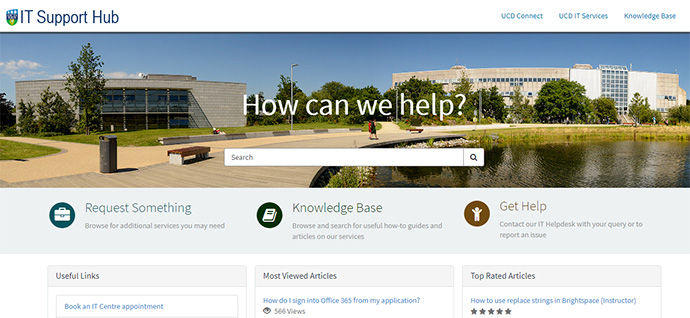
The UCD IT Support Hub is where you can log a call with our UCD IT Helpdesk team, find an answer in our Knowledge Base of articles, or request an additional service or access.
UCD IT Services
Computer Centre, University College Dublin, Belfield, Dublin 4, Ireland.Contact us via the UCD IT Support Hub: www.ucd.ie/ithelp